
[gspeech type=button]
Welcome Back!
Last week we showed you how to use AI to decode your blood test results — and the response was wonderful. Thank you to everyone who wrote in to share how helpful it was. Comments like “I finally understand what my doctor has been telling me for years” made our day.
This week, we’re tackling something just as important — and a lot more urgent.
Scammers are getting smarter. And they’re using AI to do it.
But here’s the good news: you can use AI right back to stop them in their tracks.
🗓️ TRY THIS THIS WEEK
“Is This a Scam?”
How to Use AI to Spot Fraud Before It Costs You a Dime
Let’s be honest. Scam calls, texts, and emails used to be pretty easy to spot. Bad spelling. Weird grammar. Obvious red flags.
Not anymore.
Today’s scammers use artificial intelligence to write perfect, convincing messages. They can clone the voice of your grandchild. They can fake a video of your doctor. They can make a phone call look like it’s coming from the Social Security Administration.
In 2024 alone, Americans over 60 reported $4.8 billion in losses to fraud — an 83% increase from the year before. And AI-powered scams have grown twenty times over in just two years.
That’s the bad news.
The good news? AI can be your personal scam detector. In this issue, we’re going to show you exactly how to use it — with three real-world examples you may have already encountered.
What You’ll Need
- Access to any free AI assistant — Claude (claude.ai), ChatGPT (chat.openai.com), or Google Gemini (gemini.google.com)
- A suspicious email, text, or phone call you want to check
- About 2 minutes
The Simple Method: Just Paste and Ask
Here’s the core technique — and it couldn’t be easier.
Step 1: Copy the suspicious message. If it’s an email or text, highlight it and copy the text. If it was a phone call, just write down what the caller said.
Step 2: Open your AI assistant and paste the message in.
Step 3: Type this question:
“I received this message and I’m not sure if it’s a scam. Can you analyze it and tell me: Does this look legitimate or fraudulent? What are the warning signs, if any? What should I do next?”
Step 4: Read the AI’s response. It will walk you through exactly what looks suspicious — and what to do about it.
That’s it. Two minutes. Potentially thousands of dollars saved.
🔴 Real Example #1: The Fake Medicare Call
You pick up the phone. A friendly voice says:
“Hello, this is Medicare Services calling. We’re updating our records and need to verify your Medicare number to make sure your benefits aren’t interrupted. This will only take a moment.”
This is one of the most common scams targeting older Americans. If you type that script into an AI and ask whether it’s a scam, here’s what you might hear back:
“This has several hallmarks of a Medicare impersonation scam. Medicare will never call you unsolicited to ask for your Medicare number. Legitimate Medicare communications come by mail, not phone. The phrase ‘benefits interrupted’ is a classic fear tactic. You should hang up immediately and not provide any information. If you’re concerned, call Medicare directly at 1-800-MEDICARE.”
The rule to remember: Medicare, Social Security, and the IRS will never call you out of the blue asking for your number. Ever. If someone does, hang up and call the agency directly using the number on their official website.
🔴 Real Example #2: The Grandparent Scam
You get a call. A panicked voice says:
“Grandma? It’s me — I’m in trouble. I was in a car accident and I need you to send money right away. Please don’t tell Mom and Dad yet. A lawyer is going to call you with instructions.”
Your heart drops. It sounds exactly like your grandson.
That’s because scammers now use AI to clone voices from social media videos. They only need a few seconds of audio to create a convincing copy.
If you type this scenario into an AI and ask about it:
“This is a well-documented scam known as the ‘grandparent scam,’ and it has become significantly more sophisticated with AI voice cloning. Key red flags: the urgency, the request for secrecy from other family members, and the instruction to send money before verifying. Before doing anything, hang up and call your grandchild directly on the number you already have saved. Do not call back a number they give you. The real person will understand.”
The rule to remember: Always hang up and call your family member back on a number you already know. Scammers are counting on you acting fast before you think.
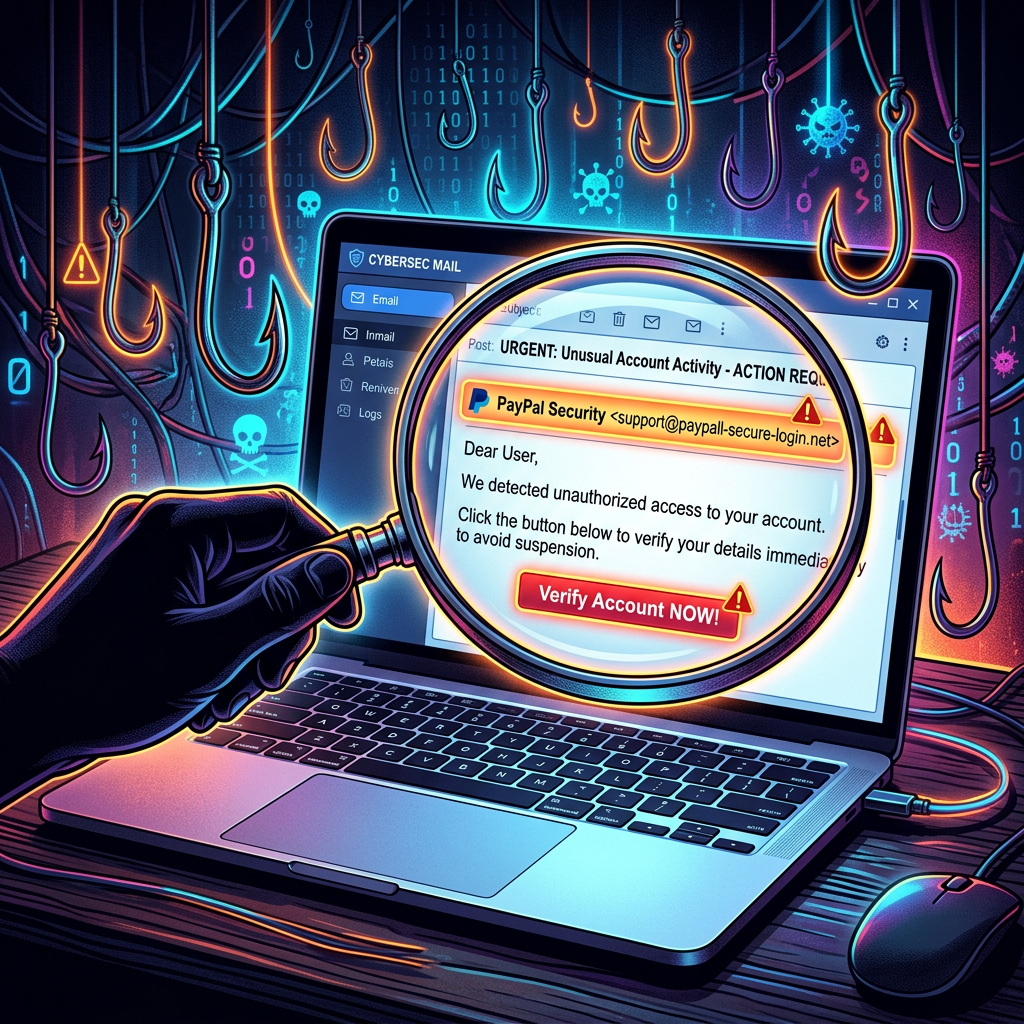
🔴 Real Example #3: The Phishing Email
An email arrives from what looks like your bank:
“Dear Valued Customer, We have detected unusual activity on your account. To protect your security, please click the link below to verify your identity within 24 hours or your account will be temporarily suspended. [Verify My Account Now]”
The logo looks right. The email address looks almost right. The language sounds professional.
Paste it into AI and ask:
“This shows multiple signs of a phishing attempt. The artificial urgency (‘within 24 hours’), the threat of account suspension, and the request to click a link are all classic phishing tactics. Legitimate banks never ask you to verify your identity by clicking an email link — they will ask you to log in directly through their official website or app, or call you on a number you recognize. Do not click the link. Instead, call the number on the back of your bank card to verify whether there’s actually an issue with your account.”
The rule to remember: Never click links in emails that claim to be from your bank, Medicare, or any government agency. Go directly to the website yourself by typing the address into your browser.
🛡️ Bonus: Build Your Family Safety Net
Here’s one more powerful way to use AI for scam protection — ask it to help you set up a family safe word.
Type this into any AI assistant:
“Can you help me create a simple family verification plan so that if I ever get a call claiming to be from a family member in trouble, I have a way to verify it’s really them? I’d like a safe word system and a checklist of steps to follow.”
The AI will help you create a personalized plan — complete with a secret word your real family members know, and a step-by-step checklist for what to do if you ever get one of these calls.
Print it out and keep it by your phone. It could be the most important two minutes you spend this week.
⚠️ What AI Can and Can’t Do
AI is an excellent first line of defense against scams. But keep these things in mind:
- AI is great at recognizing patterns in scam messages, but it can’t verify whether a specific number or email is real in real time.
- Always follow up with the actual organization using a number you find yourself — not one provided in the suspicious message.
- If you believe you’ve already been scammed, contact your bank immediately and report it to the FTC at reportfraud.ftc.gov or call 1-877-382-4357.
💬 Reader Story
“My neighbor got a call last week that sounded exactly like her grandson. She almost sent $3,000 in gift cards before her daughter stopped her. I shared your newsletter with her and she said she wishes she’d known about this sooner.”
— Patricia, 71, from Florida
(Has AI helped you avoid a scam or spot something suspicious? Reply and tell us — we’d love to share your story in a future issue.)
📌 Quick Recap — Try This This Week
- Open a free AI assistant (claude.ai, chat.openai.com, or gemini.google.com)
- Copy and paste any suspicious email, text, or phone script you’ve received
- Ask: “Is this a scam? What are the warning signs and what should I do?”
- Read the analysis and follow the recommended steps
- Bonus: Ask AI to help you set up a family safe word system
🔒 The Golden Rules — Save These
Print this out and keep it somewhere handy:
- Medicare, Social Security, and the IRS never call you out of the blue. If they do, hang up.
- Never send money or gift cards because of a phone call, no matter how urgent it seems.
- Always verify by calling back on a number you already know — never one they give you.
- Don’t click links in emails from banks or government agencies. Go to the website yourself.
- When in doubt, paste it into AI and ask. It takes two minutes and could save everything.
Coming Up in Issue #3…
Next week we tackle something that confuses almost everyone: those mysterious Medicare and insurance letters.
You know the ones. Pages of numbers, codes, and phrases like “Explanation of Benefits” that somehow don’t explain anything at all. We’ll show you how to upload or type in the key parts and get AI to tell you in plain English exactly what they mean — and whether you actually owe any money.
Don’t miss it.
The Silver Assistant is published weekly. Forward this to a friend or family member who could use it — you might just save them from a costly mistake.
Questions? Stories? Hit reply — we read every single message.
© The Silver Assistant Newsletter | Unsubscribe anytime






Leave a Reply